
DStv Stream vs Decoder: Which One Suits Your Home in Sandton?
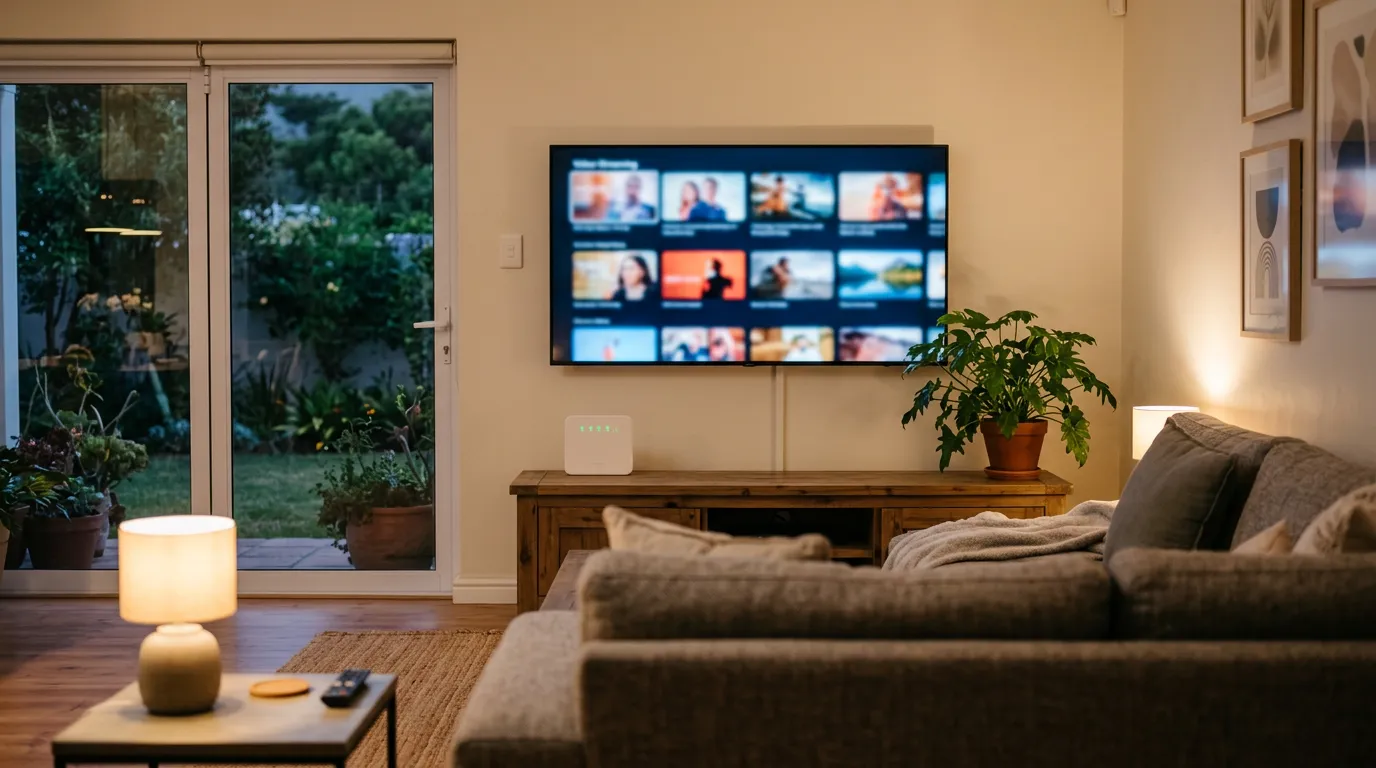
DStv Stream is MultiChoice's streaming-only subscription, and it is the reason a lot of Sandton households now ask whether they need a satellite dish at all. In MultiChoice's own words, DStv Stream "allows customers to take a subscription and enjoy our content anywhere without the need for a decoder". That is genuinely useful if your fibre is solid. It is a frustrating downgrade if it is not.
We get called out to both sides of this decision every week. Some cancelled the dish and now cannot get a clean picture during a Springbok test. Others pay for satellite when they would be perfectly happy streaming. This guide sets out what DStv Stream actually is, what it needs from your internet, and where a decoder still wins.
What DStv Stream Actually Is
DStv Stream is a subscription delivered over the internet through the DStv Stream app rather than through a dish and decoder. You sign in on a smart TV, phone, tablet, laptop or console and watch live channels and Catch Up over your broadband connection. There is no dish to mount, no LNB, no coaxial cable and no installer required to get a picture.
The important distinction is between the service and the app. If you already have a satellite subscription, you can use the app on your devices as part of that subscription. DStv Stream as a product means the streaming-only subscription, where the internet is your only delivery method. That single difference drives everything below, because a satellite signal arrives whether or not your fibre is up.
DStv Stream vs a Decoder: The Honest Comparison
Neither option is universally better. What matters is your connection, your household size and what you watch. Here is how the two compare on the things that actually affect you day to day.
| DStv Stream | Satellite decoder | |
|---|---|---|
| Hardware needed | A compatible smart TV, phone, tablet, laptop or console | Dish, LNB, RG6 cabling and a decoder |
| Installation | None for the service itself | Professional install and alignment |
| Depends on your internet | Completely | Not at all for live TV |
| Uses your data | Yes, continuously while watching | No |
| Load shedding | TV, router and ONT all need backup power | Decoder and TV need backup power |
| Watching in several rooms | Limited by your stream and device allowance | Extra decoders linked in XtraView |
| Recording to a hard drive | No | Yes on a PVR or Explora |
The load-shedding line deserves a moment. A decoder setup needs power for the decoder and the TV. A streaming setup needs power for the TV, your router and the fibre ONT, and if your fibre provider's local infrastructure is also down, no amount of home backup helps. That is a real consideration in Johannesburg and it catches people out the first time the lights go.
What Internet You Need for DStv Stream
This is the question that decides whether streaming will make you happy. DStv's guidance is a minimum line speed of 4Mbps, with 10Mbps recommended if you are streaming HD. Those are per-stream figures, so a household running two TVs plus a phone needs meaningful headroom above them, not exactly 10Mbps in total. Data adds up too. DStv puts consumption at up to 1.15MB per minute at the lowest SD resolution, and up to 41MB per minute at the highest HD resolution. That is roughly 2.5GB an hour of HD viewing, which matters on a capped line.
Line speed is only half the story though. In most of the homes we visit, the fibre package is fine and the problem is the last ten metres: a router in the study, a TV at the far end of an open-plan lounge, and a double-brick wall in between. Wi-Fi signal degrades badly through Sandton's brick and plaster construction, and a TV showing two bars will buffer on a 100Mbps line while a phone standing next to the router streams perfectly.
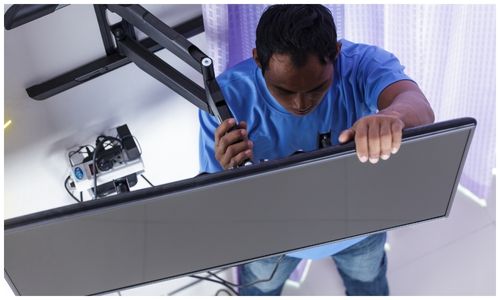
The fix is nearly always physical rather than a package upgrade. A wired network point run to the TV gives you a stable connection that does not care about walls, microwave ovens or how many phones are on the Wi-Fi. Where cabling is not practical, a properly placed mesh node in line of sight of the TV is the next best thing. We run network points as part of a TV installation from around R450 to R850 depending on the cable route, which is usually cheaper than a year of upgraded fibre.
Which Devices Work with DStv Stream
MultiChoice publishes a compatibility list, and it is worth checking before you assume your TV qualifies. Older smart TVs are the most common disappointment, because the app requires a reasonably recent operating system:
- DStv Streama and Explora Ultra
- Android TV that is Play Protect certified, running 8.0 or higher
- Apple TV Gen 4 onwards with tvOS 15 or higher
- LG smart TVs on WebOS 4.0 or higher
- Samsung smart TVs on Tizen 4.0 or higher
- Hisense smart TVs on Vidaa U3 or higher
- Android phones and tablets on Android 8.0 or higher, and iPhone or iPad on iOS 15 or higher
- Xbox consoles, and laptops or PCs through the DStv website
If your TV is a few years old and not on that list, you do not need a new television. A streaming device or a supported console plugged into an HDMI port does the job. We can set that up alongside a wall mount and a tidy cable route, so nothing dangles behind the screen.
How Many People Can Stream at the Same Time
There is a limit of four devices registered per subscription, and the number of people who can watch simultaneously depends on whether you have added mobile streams. MultiChoice sets it out as follows.
| Mobile streams added | People who can stream at once | Condition |
|---|---|---|
| None | 2 devices | No restrictions on device type |
| 1 mobile stream | 3 people | One stream must be on a mobile device |
| 2 mobile streams | 4 people | Two streams must be on mobile devices |
Everyone streaming must be logged in with the same account details, and mobile streams are charged monthly at a rate that differs per package. They are not available on EasyView. For a family wanting three or four TVs each on a different channel, this is where streaming starts to feel restrictive. Linking decoders handles it more comfortably, as our guide to dual view and XtraView setups explains.
Setting DStv Stream Up on a Smart TV
The setup itself is simple on a supported television. You install the DStv Stream app from your TV's app store, open it, and a five-digit code appears on screen. You then sign in to your DStv account on a phone or laptop and enter that code, which links the TV to your subscription. From there the app remembers the TV until you remove it from your registered devices.
Two things trip people up. The first is the device limit. If you have already registered four devices, a new TV will not link until you remove an old one. MultiChoice advises waiting about five minutes after removing a device before streaming on a new one. The second is signing in with the wrong details, usually a second family member's login rather than the account holder's.
Why DStv Stream Buffers, and What Actually Fixes It
Buffering is the number one complaint we hear about streaming, and in the homes we visit it is rarely the fibre package. Work through it in this order. Check whether other devices buffer at the same time: if only the TV struggles, the problem is the connection to that TV, not the line. Check the Wi-Fi signal strength shown in the TV's network settings, because a TV mounted in a corner or inside a media cabinet is often sitting on one bar. Check whether it happens only in the evening, which points at contention on your line rather than your house.
Once you know which it is, the fix follows. A weak signal at the TV wants a wired point or a mesh node. Evening-only trouble wants a conversation with your ISP. Everything buffering all the time, on a line that used to be fine, is worth testing for a fault. What almost never helps is buying a faster package to solve a Wi-Fi problem, and we have seen households do exactly that twice before calling someone to look at the actual cause.
When a Dish Still Makes More Sense
Satellite still wins in several common Sandton situations. If your connectivity is unreliable or capped, live sport will punish you at exactly the wrong moment. If you want three or four TVs on different channels, linked decoders handle that more comfortably than stream allowances. If you want to record to a hard drive, a PVR or Explora does it and streaming does not. And in complexes or older properties where fibre has not reached, a dish is often the only sensible route.
Plenty of homes end up running both: a decoder on the main TV for reliability and the app on phones and a bedroom TV. If your current setup is misbehaving before you decide anything, our guide to fixing DStv signal problems covers the checks worth doing first. If you are weighing up decoder hardware, we compare the options in our Explora and Explora Ultra breakdown.
Frequently Asked Questions
What is the difference between DStv streaming and decoder?
DStv Stream delivers your subscription over the internet with no dish or decoder, while a satellite subscription delivers it through a dish, LNB and decoder. Streaming depends entirely on your broadband and data, whereas satellite works regardless of your internet but needs hardware and a professional installation.
Why does DStv Stream not work on smart TV?
The usual cause is an unsupported TV operating system. The app needs LG WebOS 4.0 or higher, Samsung Tizen 4.0 or higher, Hisense Vidaa U3 or higher, or Play Protect certified Android TV 8.0 or higher. The next most common causes are hitting the four-device registration limit or a weak Wi-Fi signal at the TV.
Why am I experiencing constant buffering while streaming?
Most often the connection to that specific TV is weak, not the line itself. DStv recommends at least 4Mbps, and 10Mbps for HD, but a strong package still buffers if the TV sits behind brick walls from the router. Test whether other devices struggle at the same time, then fix the Wi-Fi with a wired point or a mesh node.
How many devices can I link to my DStv account?
You can register up to four devices per subscription. How many can watch at once depends on mobile streams: two devices simultaneously with none added, three with one mobile stream, and four with two mobile streams. Wait about five minutes after removing a device before streaming on a new one.
Can I share my DStv account with another house?
Everyone streaming has to be logged in with the same account details, and you are capped at four registered devices and the simultaneous-stream limits above. Your subscription is governed by MultiChoice's terms, so check those before relying on sharing across households rather than assuming the device limit is permission.
What is the best way to connect DStv to my smart TV?
If your TV is on the supported list, install the DStv Stream app and link it with the five-digit code shown on screen. If it is not supported, plug in a streaming device or console instead of replacing the TV. For the most stable picture, connect the TV to your router with a network cable rather than Wi-Fi.
Get Your Streaming or DStv Setup Sorted in Sandton
Going all-in on streaming, keeping the dish, or running both? We can set it up properly. That covers TV wall mounting, network points run to the screen, smart TV and app setup, or a full satellite installation if the dish stays. We work across Sandton and the surrounding suburbs, including Sandhurst, Bryanston, Rivonia, Morningside, Sunninghill, Fourways, Lonehill and Woodmead. Call us on 077 454 4032 or send a WhatsApp to talk it through. You can also browse our DStv and TV installation services or request a quote online, and we will come back to you within the hour.
MultiChoice publishes the official detail on the what is DStv Stream help page, the compatible devices list and the guide to streaming on more than one device. The line-speed guidance is set out in their internet connection FAQ.
Need Help with Your DStv?
Our accredited installers provide same-day service across Sandton. Call us for a free, no-obligation quote.