
DStv Extra View Price: What It Costs to Install and Run (2026)
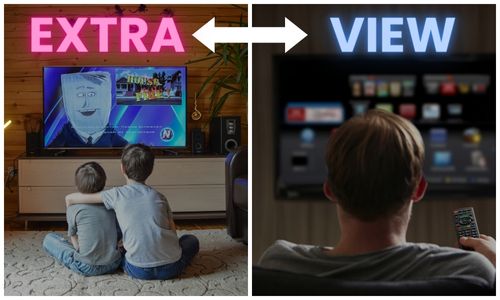
If you have more than one TV in your home and want to watch DStv on all of them, Extra View is the solution you have been looking for. DStv Extra View is a feature that allows you to connect up to three television sets to your DStv account, each with its own decoder, so that different people in your household can watch different channels at the same time. No more fighting over the remote -- everyone gets to watch what they want.
We install Extra View setups across Sandton and surrounding suburbs every week. This guide covers what it costs, both our once-off installation price and the monthly Access Fee DStv adds to your subscription, along with which decoders can actually be linked, the cabling you need, and how the linking process works.
How Does DStv Extra View Work?
Extra View links two or three decoders together under a single DStv subscription. Your primary decoder acts as the main unit, and the additional decoders (called secondary or extra decoders) are linked to it. Each decoder receives the full bouquet of channels that your DStv subscription allows, so someone in the lounge can watch SuperSport while someone in the bedroom watches a movie on M-Net.
The key thing to understand is that all linked decoders share the same subscription. You do not need to buy a separate DStv package for each TV -- you simply pay a monthly Extra View add-on fee for each additional decoder connected to your account.
Equipment and Requirements
Before we can set up Extra View in your home, there are a few hardware requirements that need to be in place. Here is what you will need:
Satellite Dish and LNB
Your satellite dish needs a multi-output LNB (Low Noise Block) to feed signal to multiple decoders. A standard single LNB only supports one decoder. For an Extra View setup with two decoders, you need at least a dual LNB. If you are connecting three decoders, a quad LNB is required. If your current dish only has a single LNB, we will need to upgrade it during the installation. DStv's own guidance is that the recommended installation for most XtraView setups is a DStv Smart LNB together with an 80cm satellite dish, and that is what we fit by default on new jobs.
Additional Decoder
Each TV requires its own DStv decoder, but not every decoder can be linked. MultiChoice publishes the allowed combinations, and they are stricter than most people expect. For two decoders you can use a combination of 11 series single view decoders, the DStv HD Decoder, the SD PVR and HD PVRs (all models), and the DStv Explora. For three decoders the published combination is the DStv Explora and the DStv HD Decoder, and the primary decoder must be an Explora. The SD PVR can only ever be a secondary decoder.
The secondary decoders do not have to match your primary model. Newer hardware is not on MultiChoice's published combination list, so if you are buying a decoder specifically to link it, check the model with DStv or send it to us before you pay for it.
RG6 Coaxial Cabling
Each decoder needs its own dedicated cable run from the satellite dish to the TV point. We use RG6 coaxial cable with F-type connectors, which is the industry standard for satellite installations. RG6 cable has better shielding and lower signal loss compared to the older RG59 cable, which is important for maintaining picture quality across longer cable runs. If your home was cabled with RG59 or if the existing cables are damaged, we will replace them with new RG6 runs.
Smartcards
Each decoder has its own smartcard, and all smartcards in your Extra View setup must be registered and linked on your MultiChoice DStv account. This linking is what allows the decoders to share your subscription. The full rules on which decoders may be linked are set out on MultiChoice's important XtraView information page.
How Many TVs Can You Connect?
DStv Extra View supports up to three decoders linked together -- your primary decoder plus two additional units. This means you can have up to three TVs running DStv simultaneously in your home, each watching a different channel. If you need DStv on more than three TVs, you would need to look at a separate subscription for the additional sets.
The Linking Process
Once all the hardware is installed and cabled, the decoders need to be linked on the DStv system. This involves:
- Registering all decoder smartcard numbers on your MyDStv account
- Adding the Extra View feature to your subscription
- Running the linking wizard on each decoder to pair them together
- Confirming that all decoders are receiving the correct channels
We handle this entire process during the installation, including contacting DStv to activate the service if needed. The linking typically takes about 15 to 30 minutes once all hardware is in place.
Extra View vs XtraView Activation via the DStv App
There is sometimes confusion between traditional Extra View and the newer self-service XtraView activation available through the MyDStv app. With the app, you can link compatible decoders yourself by navigating to the Extra View section and following the on-screen prompts. This works well if your cabling and LNB are already set up correctly.
However, the app-based activation only handles the software side -- it links the decoders on the DStv system. It does not install cables, upgrade your LNB, or mount additional TV points. If your home is not already cabled for multiple decoders, you will still need a professional installation before the app activation will work. That is where we come in.
What DStv Extra View Costs
There are two separate costs and people routinely mix them up. The first is what we charge once off to cable and set the system up. The second is what DStv charges you every month on your subscription, which is billed by them and has nothing to do with us.
Our installation pricing
What you pay us depends almost entirely on how much of the system already exists. If your home is already cabled with a separate run to each TV point and the LNB is right, the job is short. If we are starting from a single-LNB dish and one cable, it is a bigger day.
| Job | What it includes | Indicative price |
|---|---|---|
| Link decoders, existing cabling | Link two decoders already cabled, run the setup wizard, signal test | R450 – R750 |
| Extra View with a new cable run | Second RG6 run to the other room, wall point, link and test | R850 – R1,400 |
| Smart LNB upgrade | Replace a single or twin LNB with a DStv Smart LNB, realign | R650 – R950 |
| Full two-decoder install from scratch | Dish, Smart LNB, both cable runs, both TV points, linking | R1,500 – R2,800 |
The exact figure depends on cable run length, whether we have to drill through face brick, how many storeys we are working across, and whether your existing dish and LNB need upgrading. We quote upfront after a quick look at the property, and there is no call-out surprise at the end.
The monthly Access Fee
On top of the installation, DStv charges an Access Fee on your subscription for each additional linked decoder. Their published structure is straightforward: link two decoders and you pay your normal subscription plus one Access Fee, link three and you pay two Access Fees. There is an exception worth checking on your own account, because MultiChoice states that if one of your decoders is a PVR you are already paying an Access Fee, so monthly viewing on the second decoder costs nothing extra.
MultiChoice does not publish the Rand value of that Access Fee on its XtraView help pages, and it moves with their annual price adjustments. Rather than quote a figure that may be stale by the time you read this, check the current amount on your MyDStv account or your latest statement. For a breakdown of everything else we install, see our DStv services, or read our guide to dual view and XtraView wiring if you want the cabling detail.
Our Service Area in Sandton
We provide Extra View installations throughout Sandton and the surrounding suburbs, including Bryanston, Rivonia, Morningside, Sandhurst, Benmore, Illovo, Hyde Park, Fourways, Lonehill, and Paulshof. Whether you live in a house, townhouse complex, or apartment block, we have the experience to get your Extra View setup running smoothly.
If you are not sure whether your home is ready for Extra View or what equipment you might need, we are happy to do a quick assessment. Just give us a call or send a WhatsApp and we can advise you before booking an installation.
Frequently Asked Questions
How much does DStv charge for Extra View?
DStv charges an Access Fee on your subscription for each additional linked decoder, on top of your normal package. MultiChoice does not publish the amount on its XtraView help pages and it changes with their price adjustments, so check the current figure on your MyDStv account. If one of your decoders is a PVR, you may already be paying it. Our installation is a separate once-off cost from R450.
Can I add Extra View myself?
You can activate the Extra View linking yourself through the MyDStv app if your home is already cabled with separate RG6 runs to each TV point and you have a multi-output LNB on your dish. However, if you need new cables run, an LNB upgrade, or additional TV wall points installed, you will need a professional installer. Incorrect cabling or a misaligned dish will cause signal issues that are difficult to troubleshoot without the right tools.
Do I need a separate subscription for each decoder with Extra View?
No, that is the whole point of Extra View. All linked decoders share a single DStv subscription, which works out far cheaper than running two. You pay one package plus an Access Fee for each additional decoder. Each decoder can watch a different channel at the same time, but they all get the same bouquet, because MultiChoice does not allow different packages on linked decoders.
Ready to Get Extra View Installed?
If you are in Sandton or the surrounding areas and want to get DStv Extra View set up in your home, we are ready to help. Our installations are clean, professional, and we make sure everything is working perfectly before we leave.
Call us on 077 454 4032 or send a WhatsApp to book your installation. You can also see what is included on our Extra View installation page, or reach us through our contact page if you prefer to send a message. We typically respond within the hour and can often schedule same-week installations.
Need Help with Your DStv?
Our accredited installers provide same-day service across Sandton. Call us for a free, no-obligation quote.